

Before you start producing social media posts, you first need to put together a plan. How many times a month do you want to post? On which channels? And do you already have a fixed template?
Social media planning
These are all things you want to take into account if you want to work in a structured way. How many posts you should publish per month differs for every medium. You might think that the more you post, the better, but that is not always the solution. On LinkedIn, for example, people expect professional, strong, high quality content. For that channel it is better to post less often, but to publish posts with substance. Want more tips for setting up your (business) social media? You can read those in one of our other blogs. A good social media plan covers the following:
- Goal: what do you want to achieve by using social media?
- Message: in broad terms, what do you want to convey in your posts?
- Format: in which format do you want to convey your message (video, photo or text, for example)?
- Channels: which platforms are you going to use?
- Planning and division of work: when are you going to publish your content and who does what?
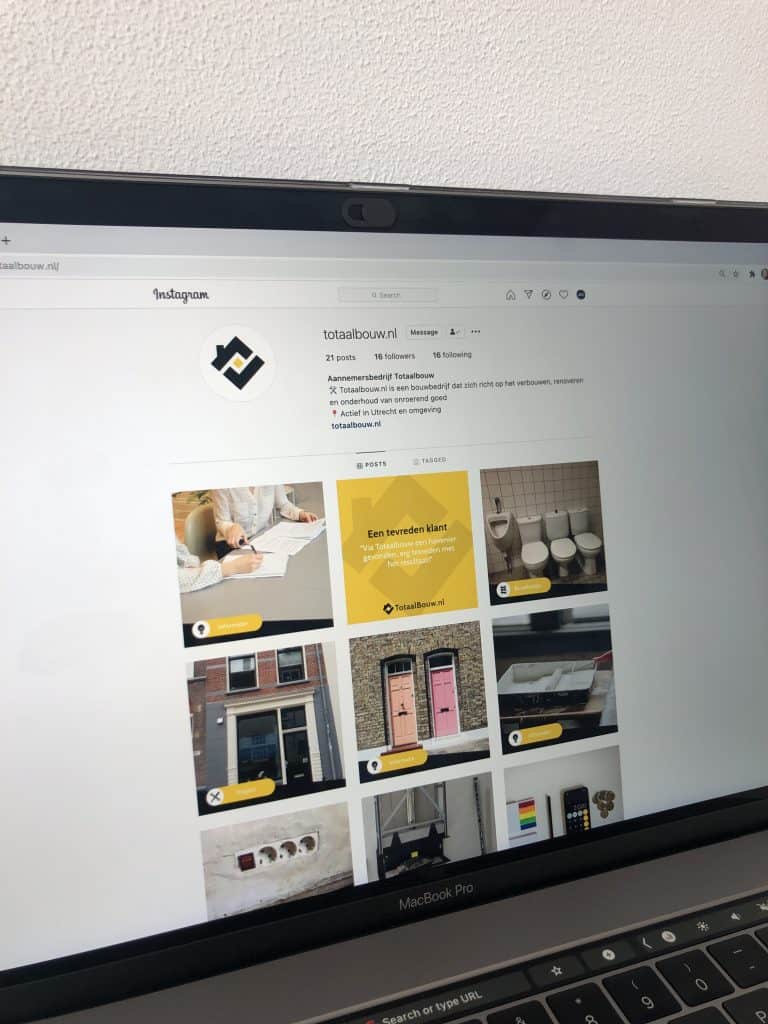
An important part of putting together a schedule is deciding on a feed design. Here are a few examples. Would you like a cool design like this too? We would be happy to put one together for you, matching the brand style and tone of your company! Once you have your plan in place, you can start thinking about individual posts. In our step-by-step plan we explain exactly which steps you can follow to arrive at a good social post.
Step 1: create the content of the post
If all went well, your plan already outlines in broad terms what your posts should be about. Think of things like the team, blogs, reviews, projects and so on. Decide what the content of this post will be. Do make sure every post is unique, even if it falls into the same category. Instead of “check out our portfolio for the result”, try “you can find the end product on our website”. Here is some input on the kind of content you can work into a post:
- Team
- Services
- Projects
- Clients
- Blogs
- Reviews
- Industry news
- Holidays and special days
- Throwback to…
Make sure the post is not too long. There is no specific word count for the perfect post, but at the very least do not write paragraphs of text. Nobody is going to read all of that. We use between 30 and 50 words in our posts. Short enough to hold the reader’s attention, but long enough to create valuable content. Also pick the right channels per post. Do you have a strong image to go with your post? Then publish it on Instagram, since that platform is very visually oriented. Are you offering strong substance instead? Then LinkedIn is a good option, because posts there often go deeper. And YouTube is by far the right medium for content in video form. We are happy to explain more about publishing content on different channels. Have you typed your post? Great! Now it is time to look for relevant hashtags. The more the better? No. Do not spam your audience with hundreds of hashtags. Only pick relevant tags. Trending hashtags, for example, as content marketer Lisanza Faccilongo explains on Frankwatching. A trending hashtag covers a topic or event that is extremely popular within a certain period. By using a tag like that when it connects to your own activities, you can broaden your reach and with it the visibility of your content. That way you also reach people who do not follow you, for instance.
Step 2: choose visuals for your post
Choose visuals that match the content of the post and your feed. Do you have your own visuals, or do you go for free images from sites like Pixabay.com? Nothing is wrong, as long as you keep things consistent. In your feed design you may also have decided to add titles to images, in which case write a summarizing title to go with the visual of your post.
Step 3: schedule the post
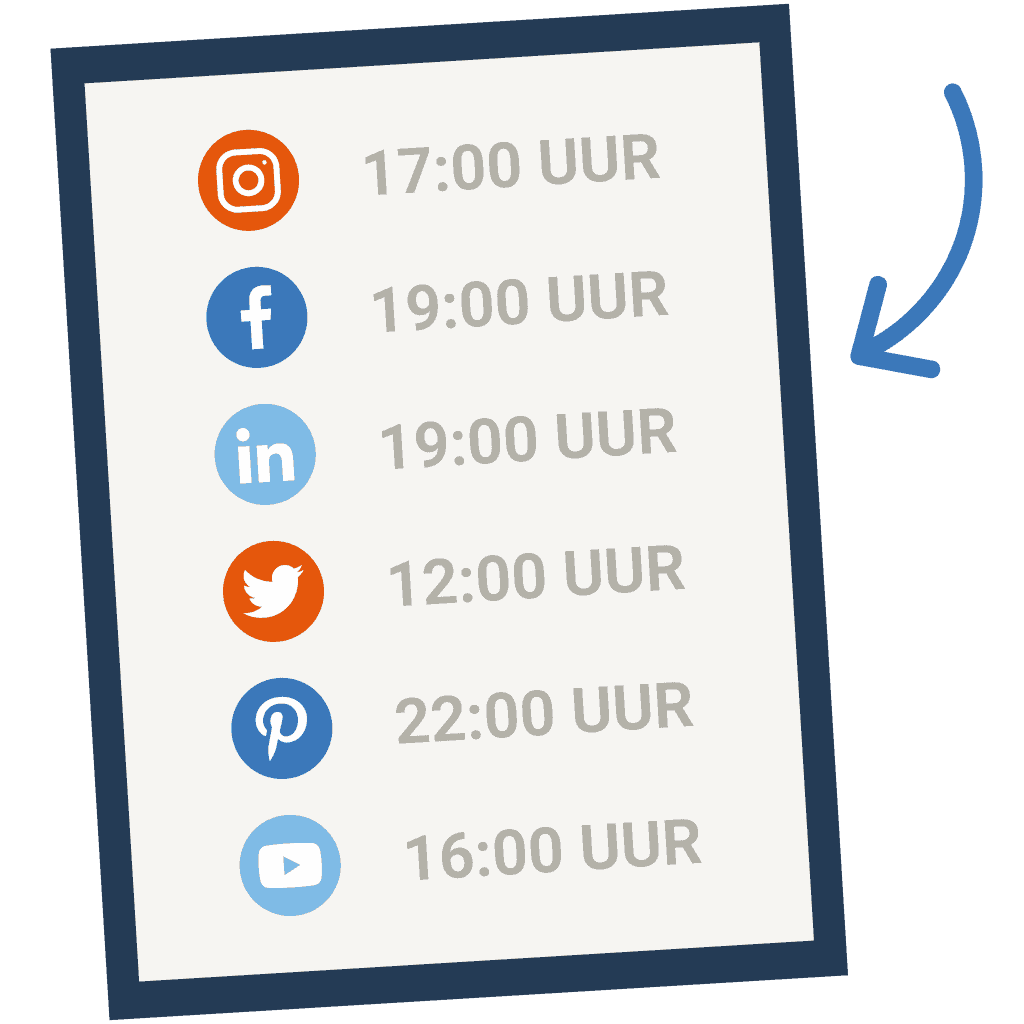
Especially if you work with a lot of posts per month, a tool like Hootsuite is incredibly handy. You only have to enter all your posts once with the right dates and the right channel, so that they are published automatically on that day. Also think right away about the time at which the post is published. Research by Coosto shows that interaction on Instagram is highest at 5:00 p.m. and on a Thursday, while on Facebook this is at 7:00 p.m. and on a Wednesday. Of course you have to test and find out for yourself which days and times bring you the most interaction. That depends on things like the kind of audience and content you have.
Step 4: check, check, double-check
Go through all the steps one more time. Are there any spelling mistakes left in your post? And is the image definitely good quality? Is the post scheduled for the right day and time? Check everything yourself, or better still: have someone else look it over. That way you know for sure that the post is completely right!


