Slow loading website? That is a waste of your visitors and your Google score. Did you know that 53% of mobile visitors drop off if a website takes longer than three seconds to load? In this refreshed blog we give you lightning fast tips to put your WordPress website into top gear. As little technical fuss as possible, and plenty of practical tips you can use to make an immediate difference.
Don’t lose customers to a slow website
A fast website is essential for a good user experience. Users expect immediate interaction. If they have to wait too long, they click away without mercy. And it isn’t only visitors who drop off: Google also rewards fast websites with better positions in the search results. In short, investing in your website speed means investing in your customers and in your findability. What counts as a good load time? Under three seconds is often seen as acceptable. The faster, the better. Factors such as the size of your website, the number of images and the technical setup all play an important role here.
Why is my website slow?
A slow website can have several causes. Often it comes down to a poorly optimized technical structure, large images that haven’t been compressed, or outdated plugins. Slow hosting and a lack of caching regularly play a part too. Fortunately there are plenty of ways to improve your website speed and give your visitors a fast, smooth experience.
Measuring your website speed
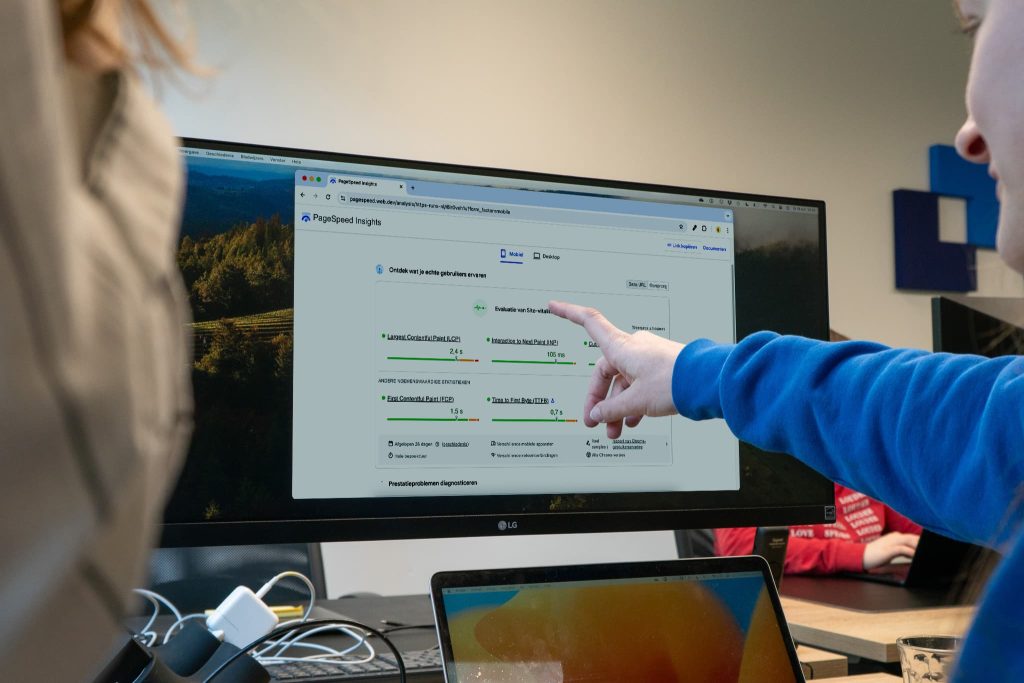
Before you start optimizing, measure first. Use tools such as GTMetrix or Google PageSpeed Insights to get insight into your current performance. These tools give you not only a speed score, but also practical recommendations to make your website faster.
12 tips to improve the speed of your WordPress website
1. Choose fast hosting
Good hosting is the foundation. Cheap packages look attractive, but they often come with slow servers. Invest instead in modern, fast hosting that is specifically optimized for WordPress.
2. Keep your website up to date
Regularly update your WordPress core, themes and plugins. Newer versions are often faster and more secure. Outdated software can slow your website down considerably.
3. Optimize your images
Don’t use oversized images. Compress them before you upload and make use of ‘lazy loading’, where images are only loaded once they become visible on screen. With a tool like Imagify you can optimize all your images in one go and convert them to the more efficient WebP format.
4. Optimize your code
Minify your HTML, CSS and JavaScript. Removing unnecessary spaces, comments and redundant lines makes files smaller and your website load faster.
5. Watch your plugin use
Some plugins are real speed killers. Remove any plugins you don’t need and choose lightweight alternatives. The fewer plugins, the faster your website.
6. Use a dedicated speed plugin
Plugins such as WP Rocket or LiteSpeed Cache help you with caching, compression and other optimizations that increase your website speed.
7. Optimize stored data
As your website grows, your database collects more and more redundant data, such as old revisions, logs and temporary files. This can slow your website down. Clean up your database regularly with a plugin such as WP Rocket, LiteSpeed Cache or specialist tools like Advanced Database Cleaner. That keeps your website fast and efficient.
8. Turn on caching
With caching you store a copy of your website for visitors. That means not everything has to be loaded again, which results in much faster load times.
9. Make use of a CDN
A Content Delivery Network (CDN) such as Cloudflare makes sure your website is loaded from servers around the world. That way your content reaches your visitor faster, especially if you serve international customers as well, outside Europe for example. .
10. Optimize for Core Web Vitals
Google’s Core Web Vitals measure load speed, interactivity and visual stability. Focus on fast load times, minimal delay on interactions and a stable layout without content jumping around.
Want to know exactly what these three metrics mean and how to read them? Read Core Web Vitals explained.
11. Minimize the number of redirects
Every redirect means an extra server request, and that costs time. Avoid unnecessary redirects and always use direct links. Check your website regularly for redirect chains and update old links for a faster user experience.
12. Embed videos and audio
Don’t place videos and audio files directly on your website, but embed them through platforms such as YouTube or Vimeo. That takes the load off your own server and makes your website load faster.
JKC goes for speed and results
Want to improve your website speed but don’t know where to start? Or is it time for a completely new website that is genuinely fast and effective? JKC is happy to think it through with you. Together we build a website that is not only fast, but also delivers more leads, customers or job applications.
Get in touch, no strings attached.
Rather hand it off? See how we help with WordPress maintenance and support and having a website built.