
WordPress management looks different in 2026 than it did a few years ago. Where you used to click through dozens of screens, you can now ask your website to do something in plain language, and it happens. “Which pages are missing a description for Google?” Or: “Prepare a draft about this topic.” The key is called an MCP: a secure connection between an AI assistant and your site. You do not need programming knowledge to get started. WordPress runs on more than 40% of all websites worldwide (W3Techs), so chances are this affects your site management too. In this blog you will read what an MCP is, what it can and cannot do, which sites it works for, and how to begin.
What is an MCP? In one sentence
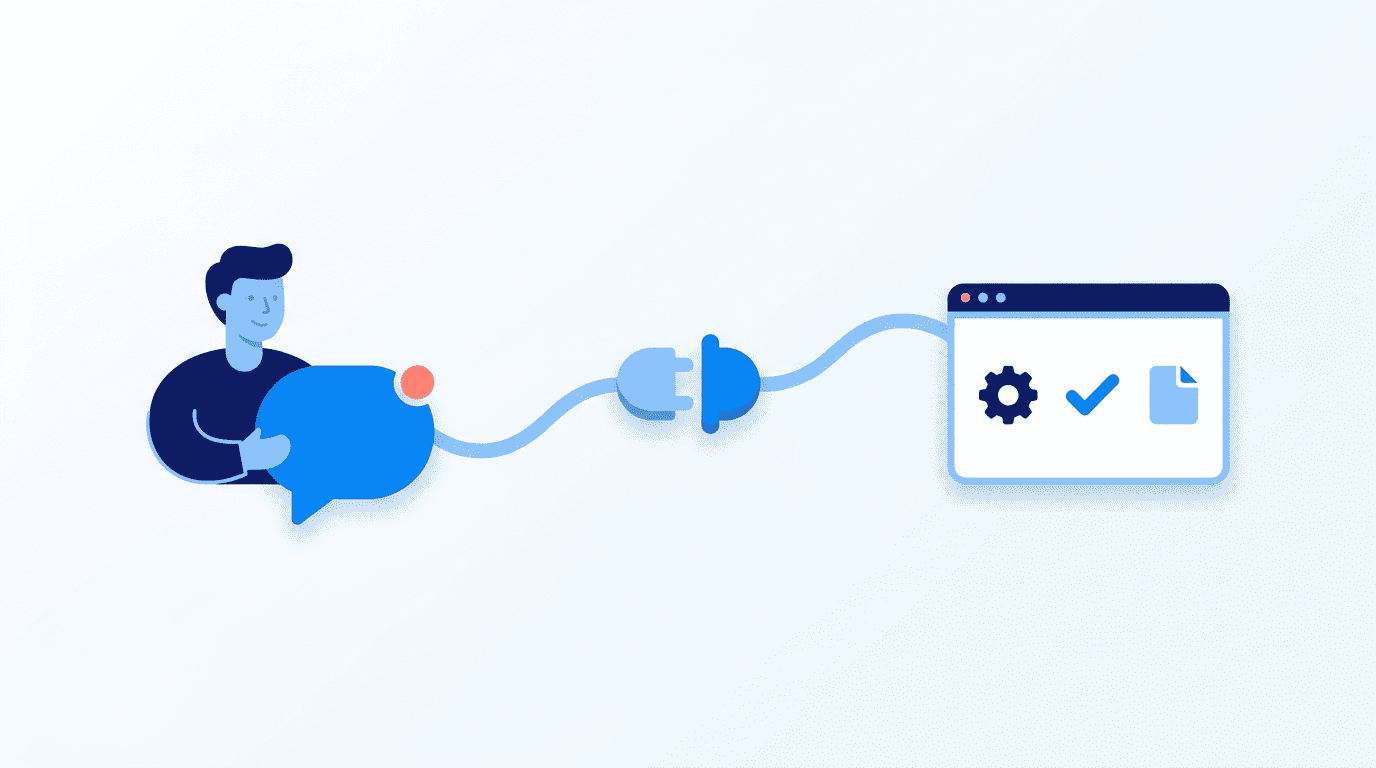
An MCP (Model Context Protocol) is a secure connection between an AI assistant and your website: a kind of power strip that lets the AI carry out tasks on your site that you describe in plain language. The protocol comes from Anthropic, the maker of Claude, and is now widely supported (modelcontextprotocol.io).
Why WordPress management is changing now
Two developments are coming together. First, more and more people search through AI instead of only through Google, which makes the quality of your pages count for more: an AI only picks up what is accurate and easy to find. Second, an AI connection suddenly makes keeping that quality up feasible, even without a large team. WordPress management is shifting from scattered clicking to steering the whole.
WordPress management with AI: 6 things that save you time
The AI takes in your entire site at once. A selection of what you can ask for:
- Writing drafts that are ready as a draft, never published directly.
- Checking texts for Google, such as missing titles and descriptions.
- A check across your entire site in one go, instead of page by page.
- Finding images without a caption (alt text), which matters for both Google and accessibility.
- Finding broken links and setting up clean redirects after a name change.
- Reviewing your WooCommerce products: spotting missing product descriptions, titles that are too long and images without alt text across your entire catalog in one go.
This blog, by the way, was itself prepared as a draft through such a connection.
What can an MCP do and what can it not (yet) do?
It is important to stay realistic: a connection is powerful, but it is not a miracle cure.
| What an MCP can do | What an MCP cannot (yet) do |
|---|---|
| Look up content and create drafts | Make strategic choices on its own |
| Update SEO texts and metadata | Rebuild your design or page builder layout |
| Run site-wide audits (SEO, links, alt texts) | Publish without your approval |
| Review WooCommerce products | Build complex custom functionality |
Does this work for every WordPress site?
Mostly yes, but it depends on how your site is built. If your site runs on the standard block editor (Gutenberg), an MCP reads and edits the content cleanly. If you use a page builder such as Elementor, WPBakery or Divi, it gets more complex: those builders store content in their own structures (shortcodes and saved layouts), which means not every change is automatically safe. It is often still possible, but it takes more custom work and care. Not sure about your build? Then have someone who knows your site take a look.
Beginner or advanced? Here is how to start
You do not have to be technical to get started. Choose the route that suits you:
| Beginner (no code) | Advanced | |
|---|---|---|
| How | Connect your site as a connector in Claude or ChatGPT in your browser | Run your own kit locally in Cursor or Claude Code |
| What you need | An account and a few minutes of setup | Some technical knowledge and open source building blocks |
| Who it is for | Business owners and marketers | Developers and agencies |
Just starting out? Then the browser route is enough: you connect your site once and then simply chat with it. The open source building blocks for this, such as the WordPress MCP Adapter and the Abilities API (part of WordPress core as of WordPress 6.9), are freely available on GitHub.
From practice: from an informational site to a webshop
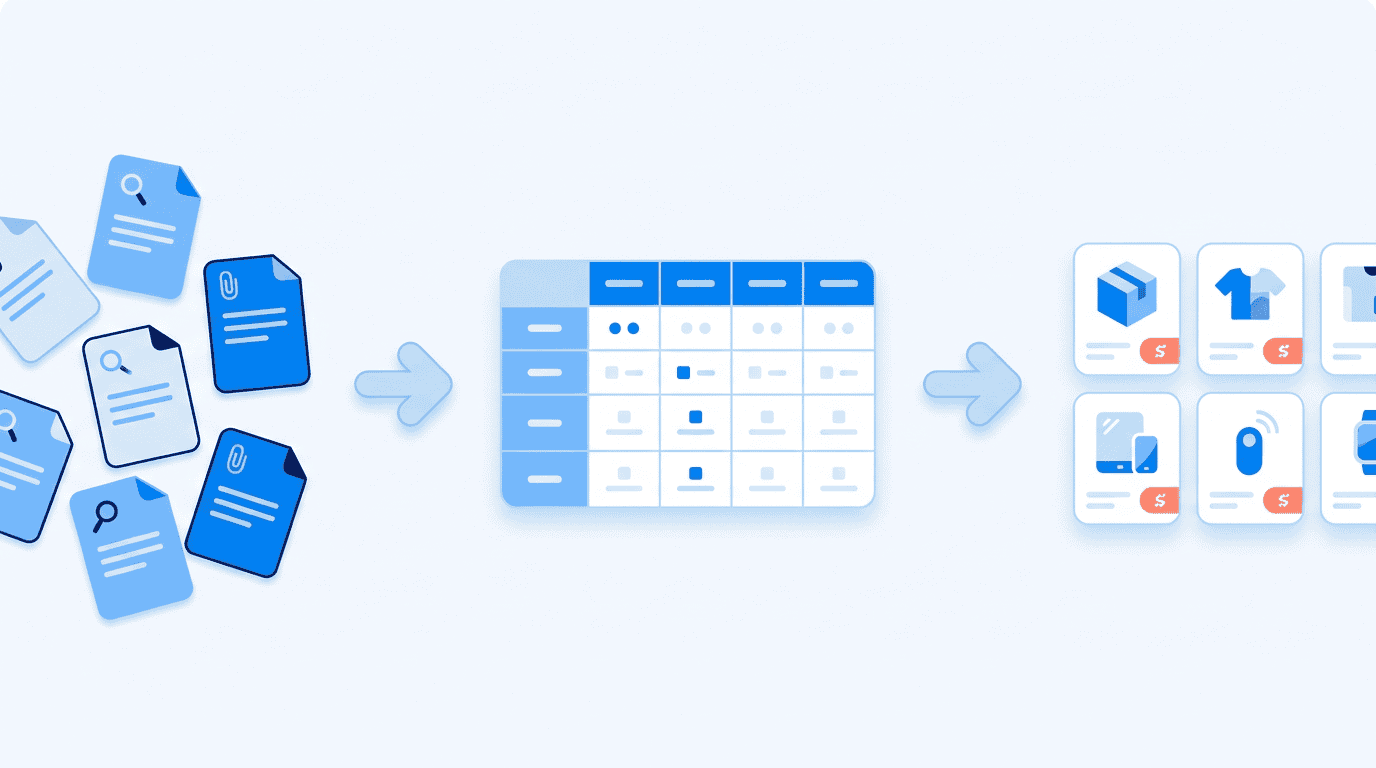
A client wanted to move from an informational website to a webshop. All the product information was spread across separate pages. Instead of retyping everything by hand, we exported that information into a structured CSV. With the client checking and adding to it, we then turned it into rich, informative product pages. A job that normally takes weeks of manual work became straightforward, while the client stayed in control of what was correct.
WordPress management: your output is only as good as your input
An AI connection speeds things up, but it does not think for you. Ask something vague and you get something vague back. Writing good prompts (prompt engineering) and having a site that is technically sound remain skilled work. It is exactly that combination, the technology and the instructions both in order, that decides whether you really save time. Would you like to set this up for your own site or webshop, or find out whether it fits your build? We are happy to think it through and build it with you.
Safe WordPress management: 4 rules of thumb
- Never let AI publish by itself. Everything comes in as a draft; a human puts it live.
- Start with reading. Have the AI report first before you let it change anything.
- Use limited permissions. A separate user with its own password.
- Stay in control. The AI does the work, you decide.
Frequently asked questions
Do I need programming knowledge for an MCP?
Not for the basics. You connect your site once as a connector in Claude or ChatGPT through your browser (an account and a few minutes of setup), and after that you instruct everything in plain language. You only need programming knowledge if you want to run your own kit locally in Cursor or Claude Code, for example for your own automations or integrations. For business owners and marketers, the browser route is enough in practice to work with it day to day.
Does it work with my page builder, such as Elementor or Divi?
On a Gutenberg site (the standard block editor) it runs smoothly: the AI reads and edits your content cleanly. Page builders such as Elementor, WPBakery or Divi store content in their own structures (shortcodes and saved layouts), which means not every change is automatically safe. Text changes and metadata often still work, but layout changes take more custom work and care. If you are unsure about your build, have someone who knows your site take a look first, before you let the AI change anything.
What can an MCP not do?
A connection takes the repetitive work off your hands, but not the thinking. It does not set strategy, it does not rebuild your design or page builder layout, it does not build complex custom functionality, and it does not publish anything without your approval. What it is strong at: looking up content and creating drafts, updating SEO texts and metadata, and running site-wide audits (missing descriptions, alt texts, broken links). So the choices stay with you; the AI speeds up the execution.
Is my data safe with an AI connection?
Yes, as long as you set it up properly. Give the AI a separate user with limited permissions (not your main administrator account), so access is contained. By default, let the AI only create drafts and start with reading: have it report first before you let it change anything. Publishing always stays a human job. That way you keep control and little can go wrong, even if you ask for something you did not mean.
Does this replace my web developer?
No. An AI connection speeds up the work, but writing good prompts and having a site that is technically sound remain skilled work. On top of that, your output is only as good as your input: ask something vague and you get something vague back. It is the combination of solid technology and sharp instructions that decides whether you really save time. Think of it as a tool that makes a professional smarter and faster, not one that replaces them.
Does this work for my WooCommerce webshop too?
Yes, and there is a lot to gain there in particular. The same checks and improvements work on your product pages: spotting missing product descriptions, titles that are too long and images without alt text across your entire catalog in one go. With dozens or hundreds of products that saves an enormous amount of manual work, while you stay in control of what goes live with every change.
How do you set this up on your own site?
Smart WordPress management with AI depends entirely on a setup that fits your situation. The browser route itself is quickly connected: switching on a connector is a matter of minutes. The real gain lies in tailoring it to your situation: a separate user with exactly the right limited permissions, matched to how your site is built (Gutenberg or a page builder), and with the tasks you actually want to automate. That takes precision, and that is exactly where we are happy to help you think it through.
Are you already a JKC client? Get in touch and we will look together at how to use an MCP to manage your website content automatically, safely and in a way that suits your site.
Do you not have a website with JKC yet? If you are ready for more results, innovation and a proactive partnership, you have come to the right place. Get in touch with us, or take the free Groeicheck: free of charge, 30 minutes and with no obligations.
Rather hand it off? See how we help with WordPress maintenance and support and AI and automation.
More articles
- WordPress dominates 33.3% of the internet 12 March 2019
- iDEAL is disappearing: what you need to know 29 August 2024
- What does a website cost? More about prices, tips and options 1 July 2024