What is Google My Business?
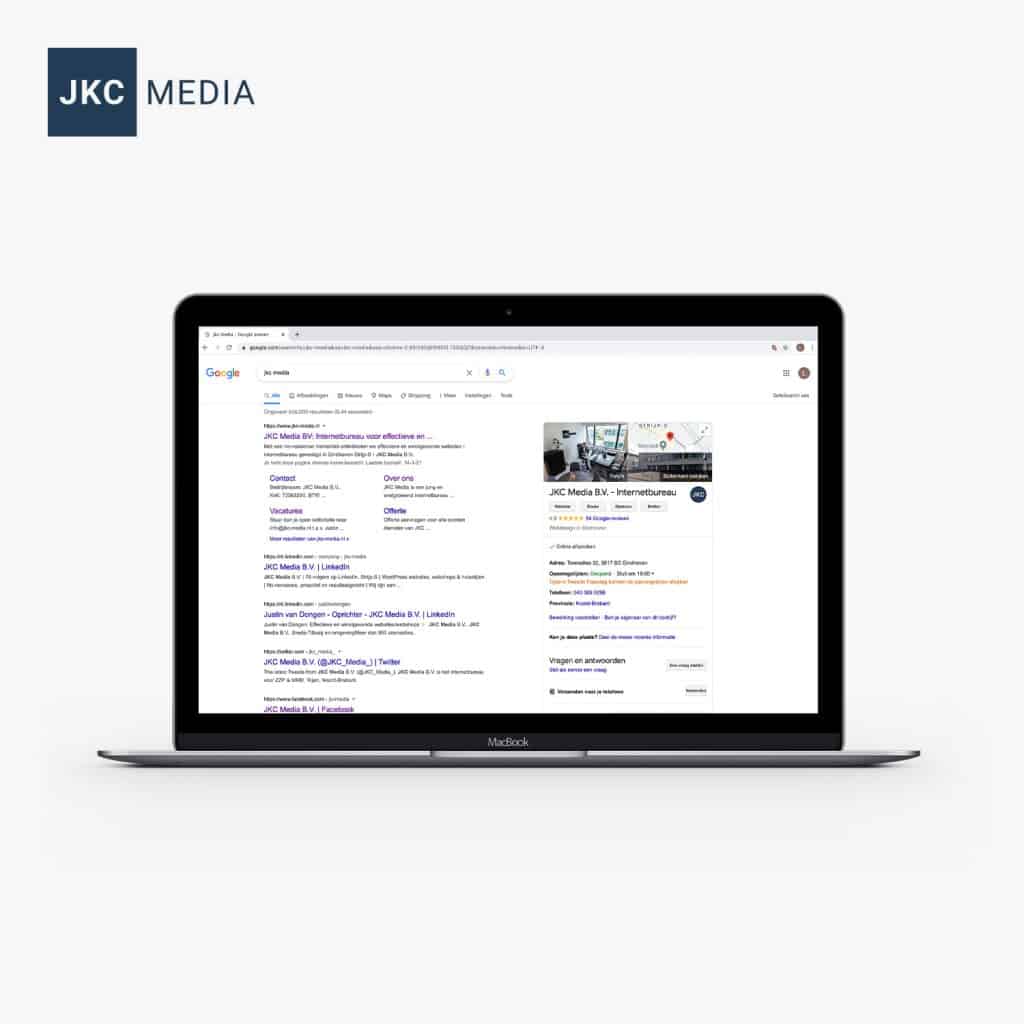
Anyone who looks up a company recognizes it: the business information that appears in the search results. There you see the address, the opening hours, the contact details, questions & answers and reviews, for example. That information gets there through Google My Business. With an account you can control exactly how your company is shown on Google products such as Search and Google Maps. And you can still create the account for free! Google itself gives the following descriptions: “With a Google My Business account you get more than a business listing. Your free Business Profile lets you easily connect with customers on Google Search and Maps” “You can post photos and offers on your profile to show what makes your business unique, and give customers a reason to keep choosing you.” “Your customers are ready to connect by calling, sending messages or writing reviews. More ways to communicate means more business.”
Why should I create an account?
- It creates more visibility for your visitors on Google. Provided you handle it well, of course; our tips follow later in this blog;
- You make things even easier for your visitors. All they have to do is type in the name of your company, and they immediately see all the information about you. Very handy, especially if there are a few good reviews and ratings to see;
- It brings in more customers. Back in 2018, ReviewTrackers showed that no less than 63% of users check reviews on Google before visiting a business. So by using Google My Business smartly, you can attract more customers.
No idea how to create an account? We are happy to help you with it!
Tips for Google My Business
Finally, we would like to give you a few tips for getting started with Google My Business. Nothing is mandatory, do with it what you want. We simply like to help you get even better at what you do, and visibility and communication (through Google) are definitely part of that.
- Tip 1: make sure the information is complete and up to date Nothing is as annoying as looking up a company and not being able to find where it is located or what time it opens. Do not make customers hunt for your details, because they often do not feel like it, and then they go to the competitor who is clearly visible. So make sure your Business Profile page is complete and up to date. Keep in mind that you might be closed on public holidays, or open at different times. Cannot find your company in Google Maps at all? Then you still need to create an account for Google My Business.
- Tip 2: collect reviews (and respond to the negative ones) People really like to read reviews of a business before they go there. Positive reviews are of course the best of all. What matters is that a business responds to a (negative) review. Research by ReviewTrackers shows that people want a response, especially to negative reviews. 45% say they are more likely to visit a business if it responds to negative comments.
- Tip 3: answer questions The search results on the right also include a section called ‘Questions and answers’. If someone asks a question, you can quickly help them out with the answer. That is one more satisfied visitor, and it shows that your company is helpful toward visitors. It is useful to set up notifications for this, so you know for sure you do not miss any questions.
Did you find this blog interesting? Follow us on our social media to stay up to date and see more blogs:
- Facebook: https://www.facebook.com/jkcmedia.nl
- LinkedIn: https://www.linkedin.com/company/jkc-media
- Instagram: https://www.instagram.com/jkc_media/
Rather hand it off? See how we help with SEO and findability in Google and AI.