There are many different tools available to track your website's performance. Google Search Console (GSC) is one of them. We explain how to sign up for GSC and tell you exactly what you can do with it.
What is Google Search Console?
Google Search Console is a tool for tracking your website's performance. You can do this with Google Analytics, but GSC is also an option. You can use the tool for free. With GSC, you can view all kinds of data about your website. We provide more information about important features in Google Search Console:
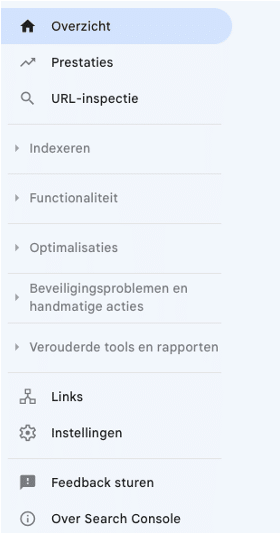
Performance
When you click on performance, you will see data such as the total number of clicks and impressions, the average CTR (click-through rate), and the average position of your website. The click-through rate is the percentage of impressions that led to a click. The average position shows where your website ranks on average in the search results.
You can also see what search terms were used to find your website, which pages visitors land on, what devices people use to search, and even more information about users.
URL inspection
For this aspect, you can specify a specific URL. You will then be able to see whether that page has been indexed or not. If it hasn't, you can request indexing.
Indexation
This section shows you exactly which pages are indexed and which are not. You can also see the reason why indexing was unsuccessful. Examples include pages with a 404 error or a redirect.
Sitemap
A sitemap provides a clear overview of all internal links on your website.
Here you can specify URLs that you do not want to appear in search results. These could be old pages or sample pages. When you submit a new request for removal, the page will be blocked for approximately six months. You can always remove the removal request, and the page will reappear in search results.
Functionality
Page Functionality
Here you will find an overview of the user experience of website visitors. This functionality applies per URL. It is possible that no data is available for your website because it has only just been added to GSC or because there is insufficient data for GSC to provide an overview.
- Site vitality
This report tells you how your pages are performing based on practical data. Here too, there may sometimes be insufficient data for GCS to provide an overview.
- Mobile usability
This section shows whether pages are usable on mobile devices. If not, it explains why.
Links
Here you can see which external links refer to your website. This allows you to see which websites link to your site and what the anchor text is for each link. You can also find your internal links here. The most important pages should naturally have the most links. This helps Google understand which pages have the highest priority.
What are the advantages of GSC?
After explaining the components of Google Search Console, we would like to tell you why this tool is so useful. It helps you improve the findability of your website:
1. You can check the findability of your website in Google's search results.
This tells you which pages visitors use to arrive at your website via organic traffic. This can provide you with valuable insights. You know which pages to focus on, where important keywords should appear, and where the most important information for your visitors should be located. You learn more about your website visitors: for example, what their search query was or which page they landed on. You can also see which websites link to your site and how the internal link structure works.
2. You can resolve issues related to findability
Google Search Console provides explanations about issues relating to your website. You can identify technical errors affecting the findability of pages. You can also request indexing for new pages, for example.
3. You will receive notifications about new errors.
When you enable this option, Google Search Console will notify you when a new error is detected. You can adjust this in the user settings, under email preferences.
Google Search Console Set up for your website: how do you do that?
Step 1 is to go to Google Search Console with your Google account. There, you enter the URL of your website.
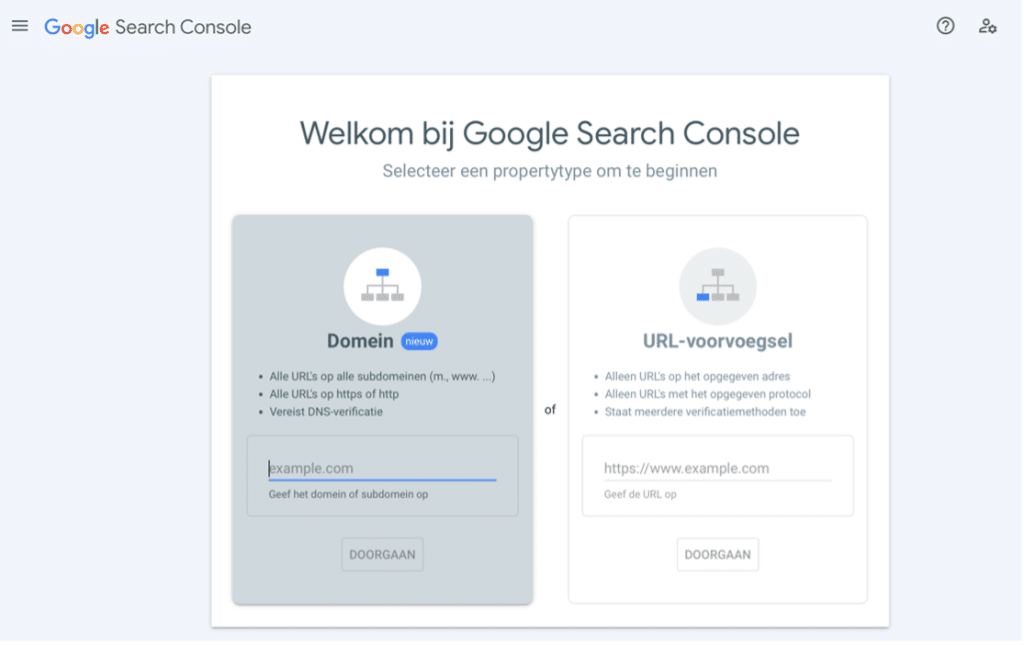
You must verify your website for Google Search Console. You can choose from various verification methods (when you select 'URL prefix'). For each verification method, you can read exactly what you need to do:
- HTML file
- HTML tag
- Google Analytics
- Google Tag Manager
- Domain name provider
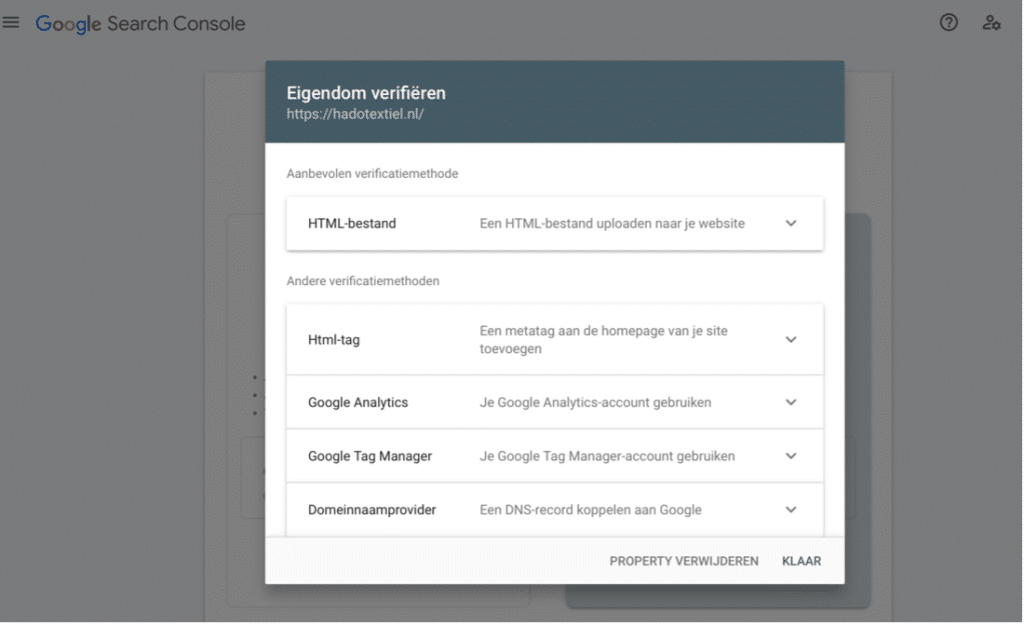
Once verification is complete, you will have immediate access to the data for your website. You can now start optimizing your site's findability. You can do this yourself, but if you are unsure how or don't have the time, we are happy to do it for you!
Would you like to use Google Search Console to improve your findability?