
A security incident can happen to any website, even a well-maintained one. On 21 October a leak in PHP was big news: PHP is the technology under WordPress, WooCommerce and most websites. In this blog you read how we look at such an incident, what we do when it happens and what you can do yourself.
What happened in October
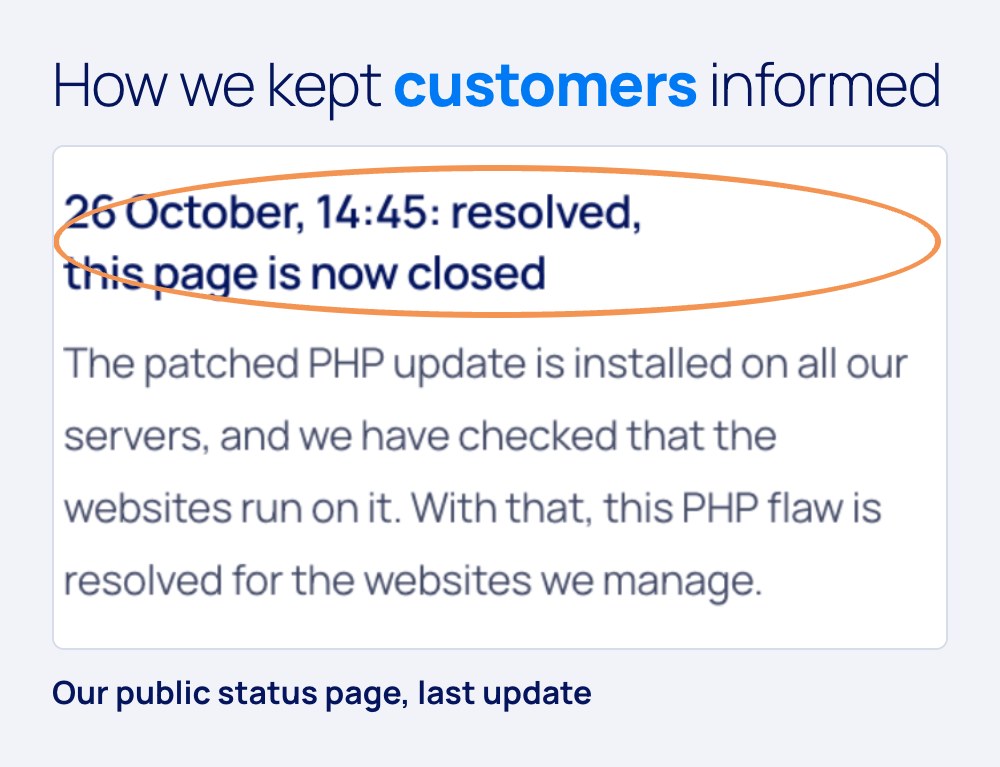
The leak, called PHP2Shell, had been in PHP since version 5.4, and according to Varonis, AI helped researchers develop a working exploit in days rather than months (Varonis). How we handled it in those days is on our status page about the PHP leak.
Our view: not if, but how fast
No website is leak-free forever. Software is checked every day, and with AI that goes faster than ever, for researchers and for attackers. That’s why we don’t judge ourselves on whether a leak comes, but on what we do in the hours after. Three things come first: acting fast, being open about where things stand, and a baseline that’s in order before anything happens.
What we do in a security incident
- Measures right away. With PHP2Shell, on 21 October, the day the leak became known, we switched on temporary PHP settings and an extra firewall on all our servers.
- Following every site live. We kept an eye on every website until the fix was in place everywhere.
- Open about where things stand. On a public status page anyone could follow what we did, with a time for each update.
- An email to whoever is affected. If a website had to go offline temporarily, that client got an email from us.
- Checking for ourselves. An update can keep showing an old version number. We check the version that actually runs, not just the number in a panel.
- Only scaling down when it’s right everywhere. Temporary measures stay in place until the fix is confirmed on every server.
The baseline that’s always on
With Managed Webhosting a fixed baseline is in place, even when nothing is in the news:
- Two-step verification on admin access, also for our own people.
- Backups outside your own environment, within the EU.
- Its own, shielded environment per application.
- A firewall that stops known attacks and bot traffic.
- SPF, DKIM and DMARC to help prevent misuse of your domain as an email sender.
- Monitoring, so we see a problem before your visitor notices it.
Three things you can do yourself
You don’t need to be technical to greatly reduce the chance of a security incident. These three things take an afternoon together.
1. Turn on two-step verification, starting with your email
Whoever gets into your mailbox can reset the passwords of almost all your other accounts. So turn on two-step verification on your email first. Then Google, Microsoft, your socials and your website admin. You then log in with your password and a code or confirmation on your phone.
2. Keep up with updates
Turn on automatic updates on your phone and laptop, and have your website’s software updated too. An update often closes exactly the leak that was just in the news.
3. Clean up access
Check who can still get into your website, email, Google account, socials and ad accounts. Former colleagues and people who no longer work for you, you remove. It takes a few minutes per account and closes a gap you otherwise don’t see.
Or let us do it
mkbservicedesk advises business owners to ask their hosting or IT party not only whether an update was installed, but also which extra checks were done (mkbservicedesk, 26 October 2026). That’s exactly what we do for you. With Managed Webhosting we keep the security of your environment up to date, and in an incident we take measures right away. That also works if we didn’t build your website.
Frequently asked questions
What is a security incident?
Anything that puts the security of your website, email or data at risk: a leak in software that can be abused, a break-in on an account or an infected website.
What do I do if I think my website has been hacked?
Act fast and carefully. In WordPress hacked? A plan for the first hour you read what to do in the first hour. Is your site with us? Email service@jkc.media.
How do I turn on two-step verification?
For most services you find it in the settings under Security or Sign-in. You link an app on your phone or your number, and from then on the service asks for an extra code when you log in. Start with your email.
More articles
- Marketing plan 2027 in five questions 5 November 2026
- What does Google Ads cost an SME? 27 October 2026
- Google AI Mode: what it means for you 20 October 2026