
Core Web Vitals are the three metrics Google uses to judge how your website feels to a real visitor: how quickly the page appears, how smoothly it responds and whether the content stays put while it loads. The abbreviations sound technical. What they measure is familiar to anyone who has ever waited for a slow site.
What are Core Web Vitals?
Google uses Core Web Vitals as part of page experience: a set of signals that says whether a page works well, separate from what is on it. There are three metrics: LCP for loading speed, INP for responsiveness and CLS for visual stability. Google explains on web.dev that a page only scores well when at least three out of four visits fall within the thresholds, measured separately for mobile and desktop.
Worth knowing: those numbers do not come from a lab test, but from real Chrome users visiting your site. What Google assesses is what your visitors actually experience on their own phone and their own connection. In March 2024, INP also replaced the older FID metric, as Google announced. Older articles about Core Web Vitals are out of date on that point.
LCP, INP and CLS in plain language
Largest Contentful Paint (LCP)
LCP measures how long it takes before the largest visible element is on screen. Usually that is the large header image or the main heading. Within 2.5 seconds is good. If it takes longer, a visitor mostly sees an empty or half-built page, and that is exactly the moment people decide to go back to Google.
Interaction to Next Paint (INP)
INP measures how long it takes before the page visibly responds when someone clicks, taps or types. Not just on the first click, but throughout the visit. Within 200 milliseconds feels instant. A menu that only opens after half a second feels broken, even if it technically works.
Cumulative Layout Shift (CLS)
CLS measures how much the content jumps around while the page loads. You know the feeling: you go to tap a button, an image or banner slides into view and you tap something else. A score of 0.1 or lower is good.
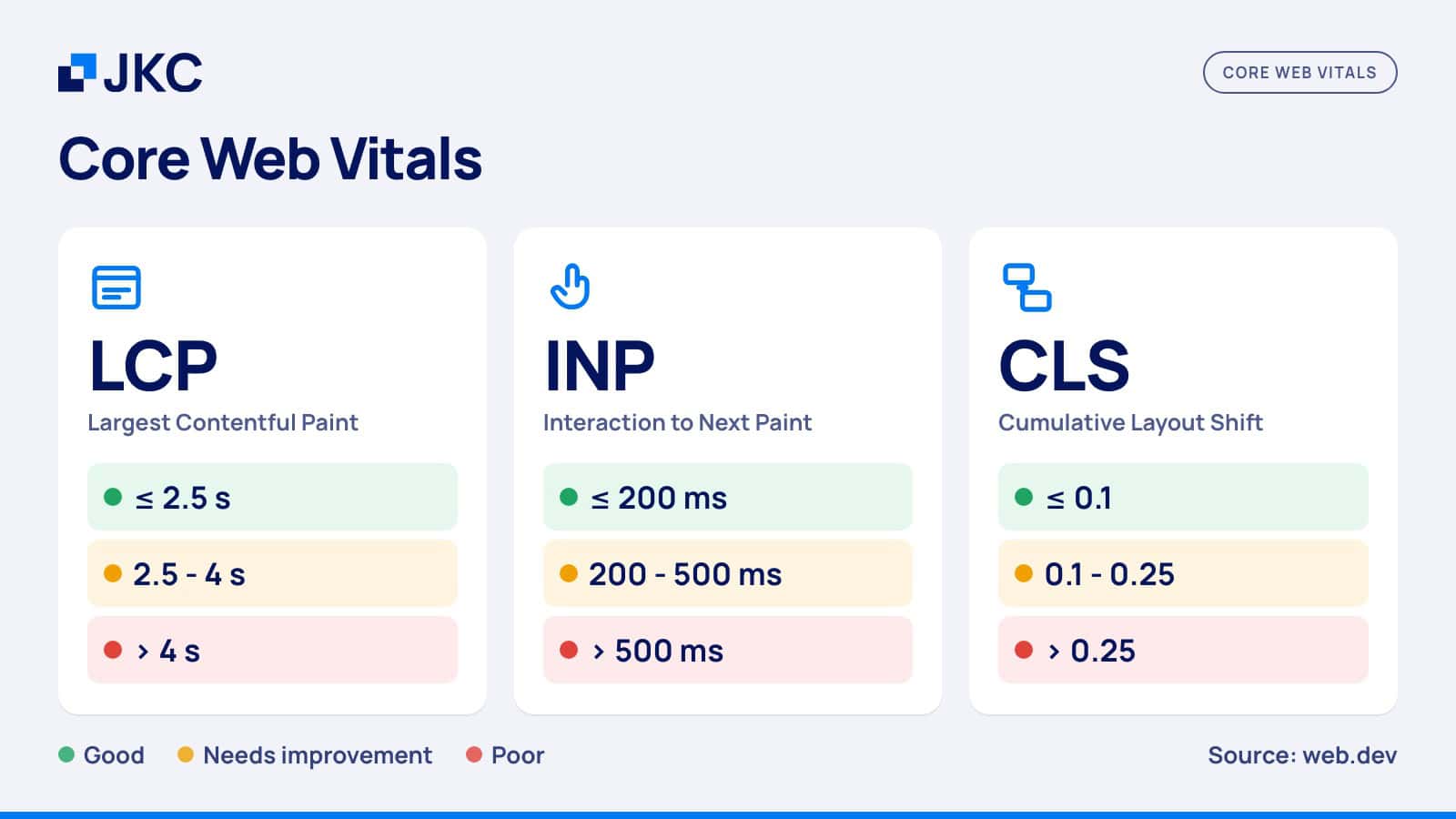
| Metric | What it measures | Good | Needs improvement | Poor |
|---|---|---|---|---|
| LCP | Time until the largest element is visible | up to 2.5 s | 2.5 to 4 s | over 4 s |
| INP | Response time to clicks, taps and typing | up to 200 ms | 200 to 500 ms | over 500 ms |
| CLS | How much the layout shifts | up to 0.1 | 0.1 to 0.25 | over 0.25 |
Source: web.dev (Google), measured at 75 percent of page visits.
How to check the Core Web Vitals of your own website
The quickest way is PageSpeed Insights. Enter your address and you get two blocks. At the top is what real visitors experienced over the past 28 days; that is the verdict Google uses. Below it is a lab test, a simulation on a slow phone with a mediocre 4G connection. That lab test is useful for finding causes, but the 0 to 100 score is not a ranking factor.
If you have Google Search Console connected, also look at the Core Web Vitals report. It does not show one page, but groups of pages that score the same way. That is how you find out, for example, that all your blog articles shift because of the same element while your homepage is fine.
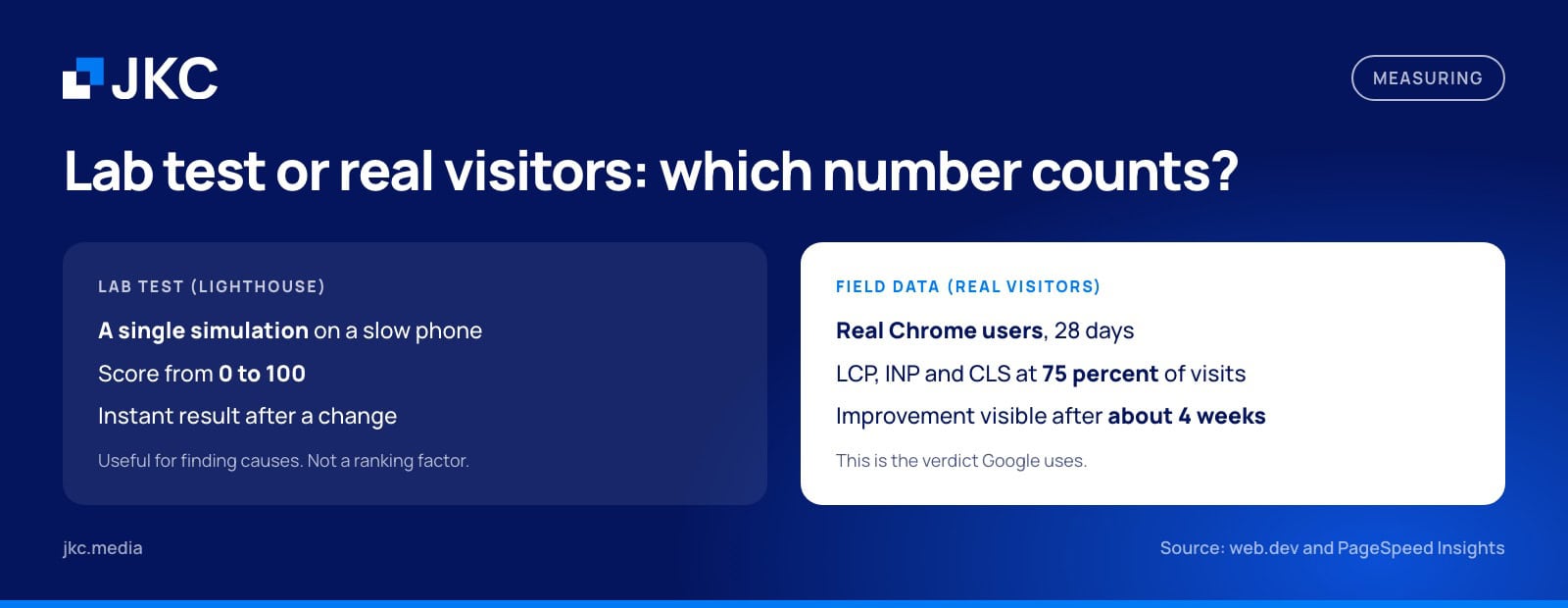
A new website often has no field data for the first few weeks. Google only shows numbers once enough Chrome users have visited the site. Until then, the lab test is your only yardstick, and it deliberately assumes a slow phone and a mediocre connection.
What we saw across sixteen of our clients’ websites
To see how this plays out in practice, on September 23, 2026 we measured the homepages of sixteen websites of JKC Media clients with PageSpeed Insights, on mobile. They include online stores, service providers and organizations with both national and local visitors. We are not naming names; the numbers say enough.
| What we measured | Result |
|---|---|
| Median lab score (0 to 100) | 50 |
| Websites with a lab score of 90 or higher | 1 of 16 |
| Websites with enough field data for a Google assessment | 6 of 16 |
| Of those, passing the Core Web Vitals | 5 of 6 |
| Lab score of those five passing websites | 37 to 65 |
Source: JKC Media’s own measurement with PageSpeed Insights (mobile), September 23, 2026.
Two things stand out. None of the five websites that pass with real visitors gets a green lab score, and two of them are stuck at 37. Anyone who only looks at that lab number can easily draw the wrong conclusion. On top of that, ten of the sixteen websites have too few Chrome visitors to build up field data. For many websites the lab test is the only number you get to see, and then it is mainly a tool for finding bottlenecks, not a report card.
How much do Core Web Vitals weigh for your position in Google?
Less than many articles suggest. Google itself writes in its explanation of page experience that it always shows the most relevant content, even if the page experience falls short. Only when several pages answer the question equally well can a better experience make the difference. A slow site with the best answer still beats a fast site with a mediocre one.
The bigger effect is on your visitors. People who wait drop off, and people who tap the wrong thing get annoyed. Google collected examples on web.dev of companies that measured this. Vodafone improved its LCP by 31 percent and saw sales rise by 8 percent. Speed is mainly a conversion question, and only then an SEO question.
Where it usually goes wrong in practice
A poor LCP is in most cases caused by the image at the top of the page. A photo of several megabytes, a slider with five large images or a background video slows down exactly the element Google measures. Fonts that load late and scripts that have to run before the page is shown add to that.
INP mainly climbs because of third-party JavaScript. Think of a chat widget, a cookie banner, a few tracking pixels and an embedded video. None of these is a problem on its own, but together they freeze your visitor’s phone at the moment they want to click something. CLS usually happens because no space is reserved for images, ads, embeds or a banner that appears at the top later.
If your site runs on WordPress, you will find concrete measures in our earlier blog with 12 tips to make your WordPress website faster.
When should you actually do something about it?
If important pages such as your homepage, service pages or contact page are marked “Poor” in Search Console, it is a priority. Those pages have to convince visitors, and every second there costs you inquiries. If only the lab score is orange and the field data is green, there is no need to panic; your real visitors notice little of it.
There are also fixed moments to look again. After a redesign, after adding a new marketing tool such as a chat, an extra tracking script or a video player, and when you notice that mobile visitors leave noticeably fast. And if you are about to have a new website built, include Core Web Vitals in the requirements, because repairing it afterwards costs more than getting it right from the start.
How JKC Media handles this
We build WordPress websites that are fast, secure and manageable by your own team, and speed is a requirement from the design stage, not a job for after launch. If your website is with us on support and continued development, updates and security are handled continuously and we set the priorities every month based on data. You can simply include Core Web Vitals in that fixed monthly capacity, without turning it into a separate project.
Frequently asked questions about Core Web Vitals
What is a good Core Web Vitals score?
A page scores well when LCP is within 2.5 seconds, INP stays under 200 milliseconds and CLS is 0.1 or lower. Google looks at 75 percent of real visits, separately for mobile and desktop. The 0 to 100 score in PageSpeed Insights is something else: that is a lab score for tracking down problems.
What is the difference between INP and FID?
FID only measured how long the first click on a page had to wait before the browser started processing it. INP looks at all clicks, taps and key presses during the entire visit, and measures until the result is actually on screen. That makes INP stricter. Since March 2024, INP has been the official metric.
Why do PageSpeed Insights and Search Console disagree?
They often measure different things. The lab test in PageSpeed Insights simulates a single visit on a slow phone, while Search Console shows the experience of real visitors over 28 days, grouped by type of page. An orange lab score with green field data is quite possible. For Google, what real visitors experience is what counts in the end.
How quickly will I see results after an improvement?
In the PageSpeed Insights lab test you see it immediately. Field data runs over a 28-day period, so it takes up to about four weeks before an improvement is fully visible in PageSpeed Insights and Search Console. Any effect on your positions in Google comes after that, and is usually smaller than the effect on your conversion.
Check your own website
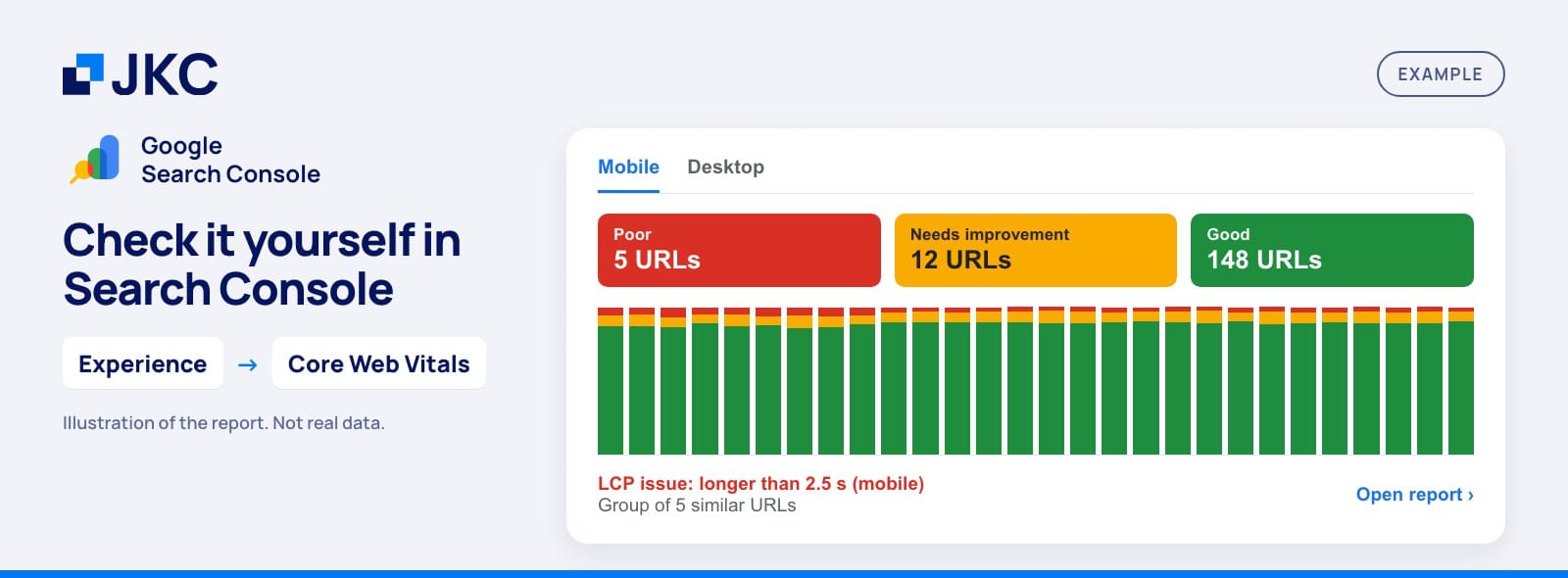
You can check it yourself in a few minutes. Open Google Search Console and go to Experience → Core Web Vitals. You will see your pages split into Poor, Needs improvement and Good, separately for mobile and desktop.
- Start with mobile. That is where most websites fall short.
- Click a group marked Poor or Needs improvement. You will see which metric is the problem and a few example URLs.
- Run one of those URLs through PageSpeed Insights. The lab test there shows what causes it.
Want to know where your website stands on Core Web Vitals and what to tackle first? Request a free website scan. We look at your site along a fixed set of parts and tell you what will pay off most, and that is not automatically a new website.
Rather hand it off? See how we help with SEO and findability in Google and AI.
More articles
- Easily optimize your website for voice search 24 June 2019
- Link building with guest blogging, how do you do it? 14 January 2019
- Absolute don’ts for SEO 13 November 2020