
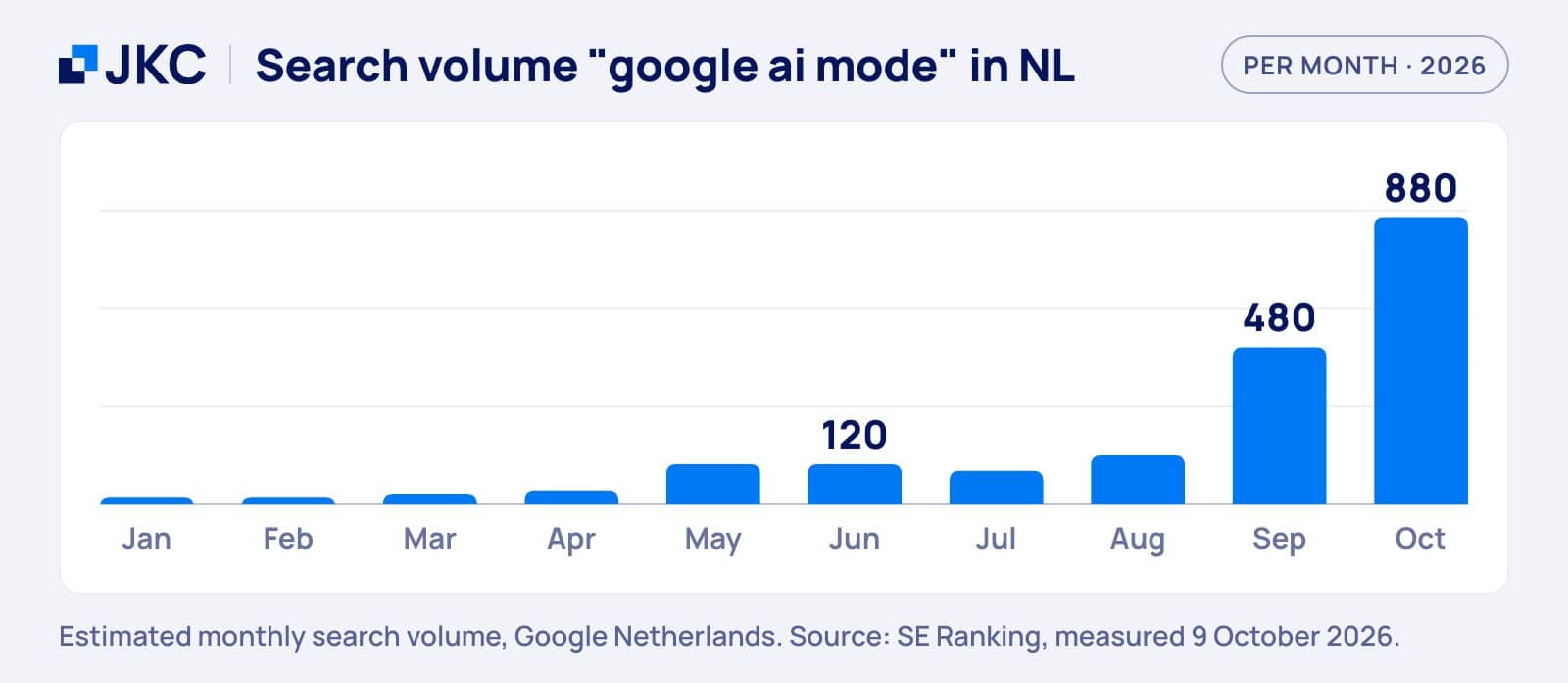
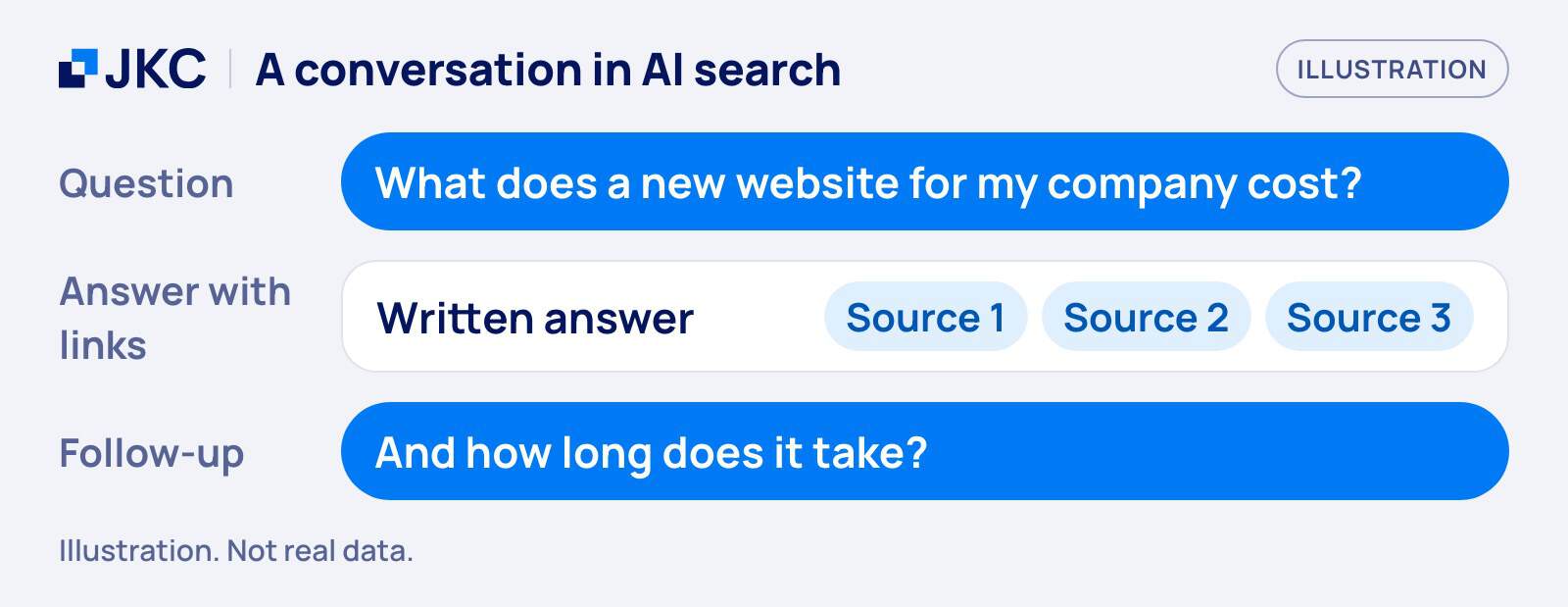
Google AI Mode is a separate way of searching in Google: you ask a question, get a written answer with links, and carry on with follow-up questions. It sits next to the classic results and the AI Overviews you already see at the top of the page. Interest is growing fast. Searches for “google ai mode” in the Netherlands went from 120 a month in June 2026 to 880 in October, according to SE Ranking. Below you can read what it is, how it differs from AI Overviews, what it means for your website and what you can do about it.
What Google AI Mode is
Google describes AI Mode as its AI search experience for questions that need further exploration, reasoning or complex comparisons. You type or say a question and Google answers in text, with links to the websites behind the answer. According to Google’s help page, you open it by tapping AI Mode under the search bar on google.com, in the Google app, or at google.com/ai.
How it works: one question becomes many searches
Behind the answer sits a technique Google calls query fan-out. AI Mode splits your question into subtopics and runs a search for each of them at the same time. Because of that, the answer can draw on a wider and more varied set of pages than one classic search would show. Google’s documentation for site owners says AI Overviews may use the same technique.
You can then ask follow-up questions and stay in the same conversation. Besides text you can use voice, images, files and URLs as input. When Google is not confident enough in an AI answer, AI Mode can show a set of web links instead. Google also warns that AI Mode does not always get it right and advises checking important information in more than one place.
Is AI Mode available in the Netherlands, in Dutch?
Yes, according to Google’s own help page: the Netherlands is on the list of supported countries and Dutch is on the list of supported languages. The expansion started on October 7, 2025, when Google announced AI Mode for more than 35 new languages and over 40 new countries and territories. That announcement does not name the Netherlands, so we rely on the help page for that part. Test it yourself on google.com/ai to be sure.
Usage is large and still growing. In May 2026 Google said that AI Mode had passed one billion monthly users and that queries in AI Mode had more than doubled every quarter since launch. Those numbers are global. We found no Google figure for the Netherlands alone, so we do not quote one.
Do you need to turn AI Mode on, and can you turn it off?
You do not need to turn it on. AI Mode is a separate button next to the regular results: if you do not click it, you search as you always did. Google does not mention a switch to hide the button on its AI Mode help page. What you can control is whether your searches are saved to improve Google’s AI models: you do that by turning off Web & App Activity in your Google Account.
How AI Mode differs from AI Overviews and classic results
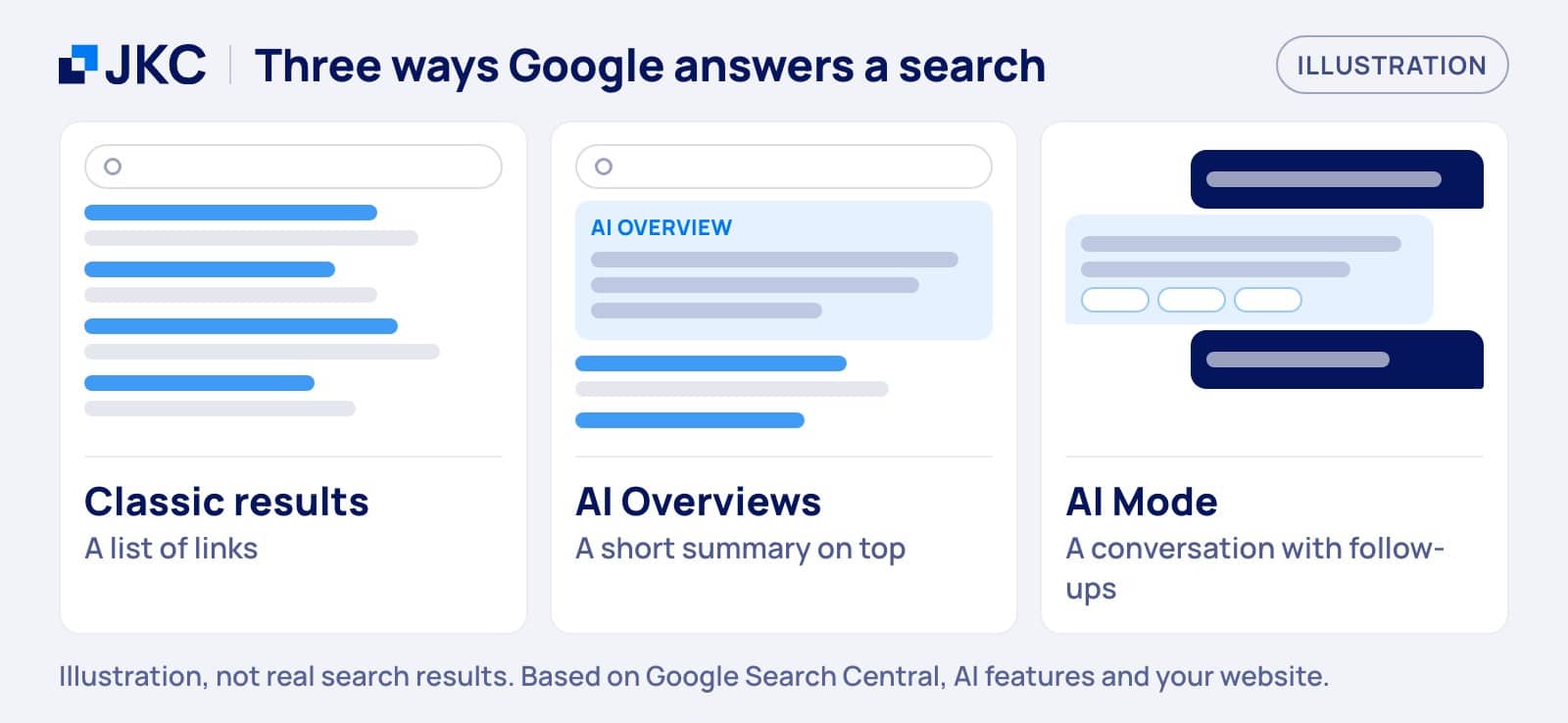
The three live side by side in Google, and a visitor can move between them in one search. The table shows the core difference in one line each.
| Part of Google | What you get |
|---|---|
| Classic results | A list of links to pages |
| AI Overviews | A short summary at the top |
| AI Mode | A conversation with follow-ups |
Treat the table as a simplification. Google says AI Overviews are only shown when its systems decide they add something to classic Search, so they do not appear on every search. You open AI Mode yourself, and it is built for longer, multi-step questions.
The two are moving closer together
Since May 2026 you can ask a follow-up question right from an AI Overview and continue in AI Mode, Google announced. For a visitor, one search can start as a list of links, turn into a summary and end as a conversation. For your site that means you do not compete in three separate places. It is one flow, and Google says its generative AI features are rooted in its core ranking and quality systems.
What it means for the traffic and visibility of your website
What we can say, and what we cannot
AI Mode answers link to websites, so a page that is used as a source can get a visit. What nobody outside Google can show you yet is how many clicks that gives a Dutch SME. The new Search Console report lists impressions, pages, countries, devices and dates. Clicks are not on that list, and we found no click-through figure for AI Mode that we could verify at the source. So we do not quote one. For what falling clicks at a stable position look like in your own data, read our blog on position 1 and fewer visitors.
Which pages feel it first
This is our reading, not a measured result. AI Mode is built for questions that need comparing and exploring, so pages that answer a simple informational question are the first to compete with a written answer. Pages that show real experience, a local service or a concrete offer are harder to replace with a summary. Look at your own pages in that light: which ones answer something anyone could answer, and which ones show what only you can?
What you can do: a checklist for AI Mode
Google is clear that there is no separate trick. In its guide it says that optimizing for generative AI search is optimizing for the search experience, and thus still SEO. We explained what that means in GEO and SEO: what Google finally admits, so we will not repeat it here. This is what we would do for AI Mode specifically.
There are no additional requirements to appear in AI Overviews or AI Mode, nor other special optimizations necessary.
Google Search Central, AI features and your website
1. Answer the follow-up question on the page
AI Mode splits a question into subtopics and people keep asking. A page that stops after the first answer leaves gaps. For each important page, write down the three questions a reader would ask next and answer them under their own heading. This is our translation of the fan-out idea to an SME site. It is our practice, not a Google rule. Our blog on from keywords to prompts goes deeper into how questions replace keywords.
2. Add what only you know
Google’s guide says that content people find unique, compelling and useful will likely influence your presence in generative AI search more than any other suggestion. For an SME that means your own experience: real projects, your process, photos you took, numbers from your own work. Show who wrote the page and why they know. That is what we mean by E-E-A-T: experience, expertise, authority and trust, made visible on the page.
3. Keep the technical basics in order
A page has to be indexed and eligible to show with a snippet to appear in AI Overviews and AI Mode, and Google adds that indexing and serving are not guaranteed. Check that robots.txt and your CDN or host do not block Googlebot, that important content is real text and not only inside images, and that you have not set nosnippet or a low max-snippet by accident. Those controls limit what Google can show.
4. Use structured data to match, not to chase
Structured data is not required for generative AI search, and there is no special schema.org markup for it. Keep using it where it fits, such as organisation, product or local business data, and make sure it matches the text people see on the page. Do not rebuild your pages for AI either. The same guide says that Google Search ignores llms.txt files and that there is no requirement to break your content into tiny pieces.
5. Measure in Search Console
Traffic from AI Overviews and AI Mode is counted in the Web search type of your normal performance report. Since June 3, 2026 there is also a separate Generative AI performance report, rolled out to all websites worldwide as of August 31, 2026. Look at which pages appear, in which countries and on which devices, and compare that with your clicks. Be careful with third-party tools: Google states that no third-party tool has access to its internal ranking or AI systems.
How JKC Media helps with this
We do SEO and AI-findability (GEO) work for companies that depend on being found. In practice that is the checklist above applied to your own site: which pages answer a question only halfway, where technical basics hold Google back, and what you can add that nobody else can. A good first step is our free Growth Scan, and our page on findability in Google and AI explains how we work.
Frequently asked questions: Google AI Mode
What is Google AI Mode?
Google AI Mode is a search experience in Google where you ask a question and get a written answer with links to websites, after which you can ask follow-up questions. It is meant for questions that need exploring or comparing. Your question is split into subtopics and each one is searched at the same time.
Is Google AI Mode available in Dutch?
According to Google’s help page, yes: the Netherlands is on the list of supported countries and Dutch is on the list of supported languages. Google began expanding AI Mode to more than 35 new languages and over 40 new countries and territories on October 7, 2025. Open google.com/ai or tap AI Mode under the search bar to try it yourself.
Do I need special markup or an llms.txt file for AI Mode?
No. Google says there are no additional requirements to appear in AI Overviews or AI Mode. Your page must be indexed and eligible to show with a snippet. Structured data is not required, there is no special schema.org markup for these features, and Google Search ignores llms.txt files. Good SEO is the starting point.
How do I see whether my site appears in AI Mode?
Use the Generative AI performance report in Search Console. It shows impressions for your pages in AI Overviews and AI Mode, split by page, country, device and date. It does not show clicks. Traffic from these features also stays included in your normal Web performance report, so compare the two before you draw conclusions.
Want to know how your site holds up in AI search? Request a free Growth Scan and we will tell you what to fix first. Or get in touch if you would rather talk it through.
More articles
- Link building with guest blogging, how do you do it? 14 January 2019
- Easily optimize your website for voice search 24 June 2019
- Absolute don’ts for SEO 13 November 2020