
There are many different tools for tracking how your website performs. Google Search Console (GSC) is one of them. We explain how to sign up for GSC and tell you exactly what you can do with it.
What is Google Search Console?
Google Search Console is a tool for tracking how your website performs. You can do that with Google Analytics, but GSC is an option too. The tool is free to use. With GSC you can view all kinds of data about your website. Here is a closer look at the important sections in Google Search Console:
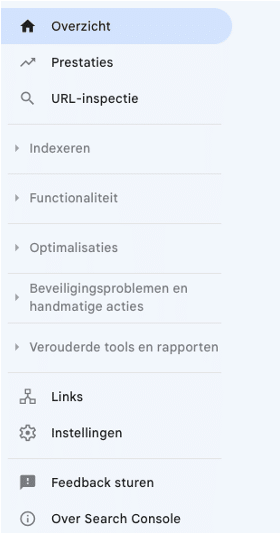
Performance
When you click on performance, you see data such as the total number of clicks and impressions, the average CTR (click-through rate) and the average position of your website. The click-through rate is the percentage of impressions that led to a click. The average position shows where your website ranks on average in the search results.
You also see which queries brought people to your website, which pages visitors land on, which devices people search with and more information about users.
URL inspection
In this section you can enter a specific URL. You then see whether that page is indexed or not. Not yet indexed? Then you can request indexing.
Indexing
- Pages In this section you see exactly which pages are indexed and which are not. You also see the reason why indexing failed. Think of pages returning a 404 or pages with a redirect.
- Sitemap A sitemap gives you a clear overview of all the internal links on your website.
- Removals Here you can submit URLs that you do not want shown in the search results. Think of old pages or sample pages. When you submit a new removal request, the page is blocked for about six months. You can always undo the removal, and the page then appears in the search results again.
Experience
- Page experience Here you find an overview of the user experience of website visitors. This report works per URL. There may be no data available for your website, either because it was only just added to GSC or because there is not enough data for GSC to show an overview.
- Core Web Vitals This report tells you how your pages perform based on real world data. Here too, there is sometimes not enough data for GSC to show an overview.
- Mobile usability This section shows whether pages work well on mobile. And if not, why that is.
Links
Here you see which external links point to your website. That shows you which websites link to your site and what anchor text they use. You also find your internal links. Your most important pages should of course have the most links. That way Google understands which pages have the highest priority.
What are the benefits of GSC?
Now that we have covered the sections of Google Search Console, we are happy to explain why the tool is so useful. It helps you with how findable your website is:
1. You can check how findable your website is in Google’s search results
You get to see which pages bring visitors to your website through organic traffic. That can give you valuable insights. You know which pages your focus should be on, where important keywords need to appear and where the most important information for your visitors should be. You learn more about your website visitors: for example what their search query was or which page they landed on. You also see which websites link to your site, and how your internal link structure is doing.
2. You can fix problems that affect how findable you are
Google Search Console explains problems with your website. You track down technical errors that affect how findable pages are. You can also request indexing, for new pages for example.
3. You get notifications about new errors
When you turn this option on, Google Search Console notifies you whenever a new error is found. You set this in the user settings, under email preferences.
Setting up Google Search Console for your website: how does that work?
Step 1 is going to Google Search Console with your Google account. There you enter the URL of your website.
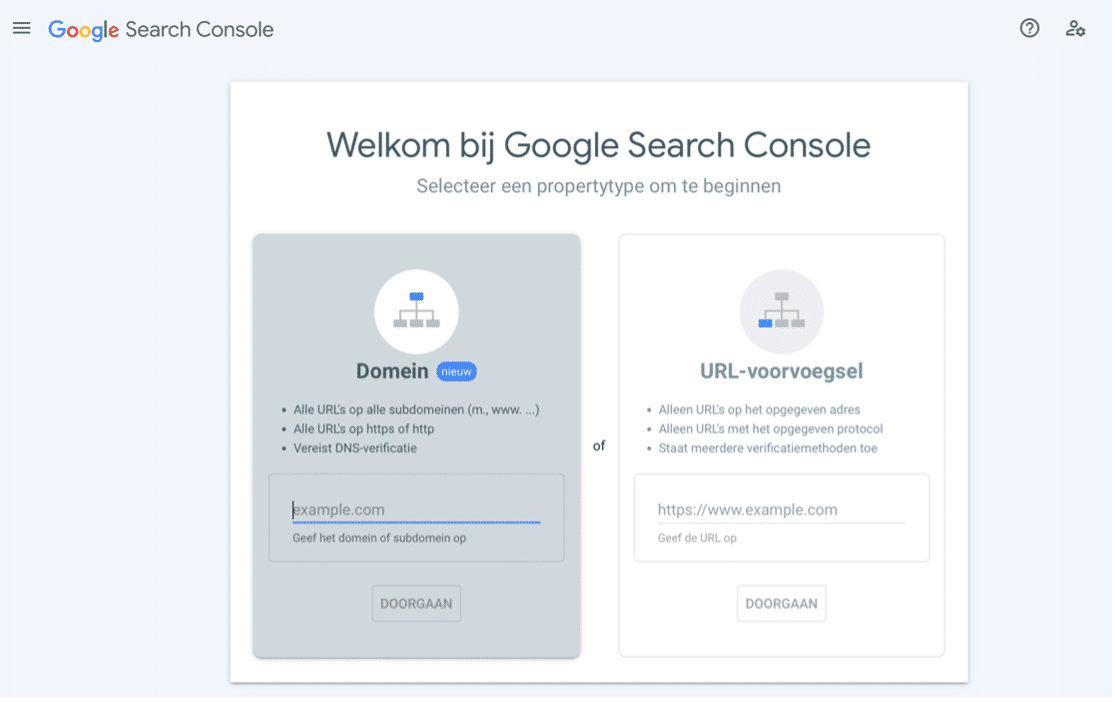
You have to verify your website for Google Search Console. You can choose from several verification methods (when you choose ‘URL prefix’). Each verification method tells you exactly what you need to do:
- HTML file
- HTML tag
- Google Analytics
- Google Tag Manager
- Domain name provider
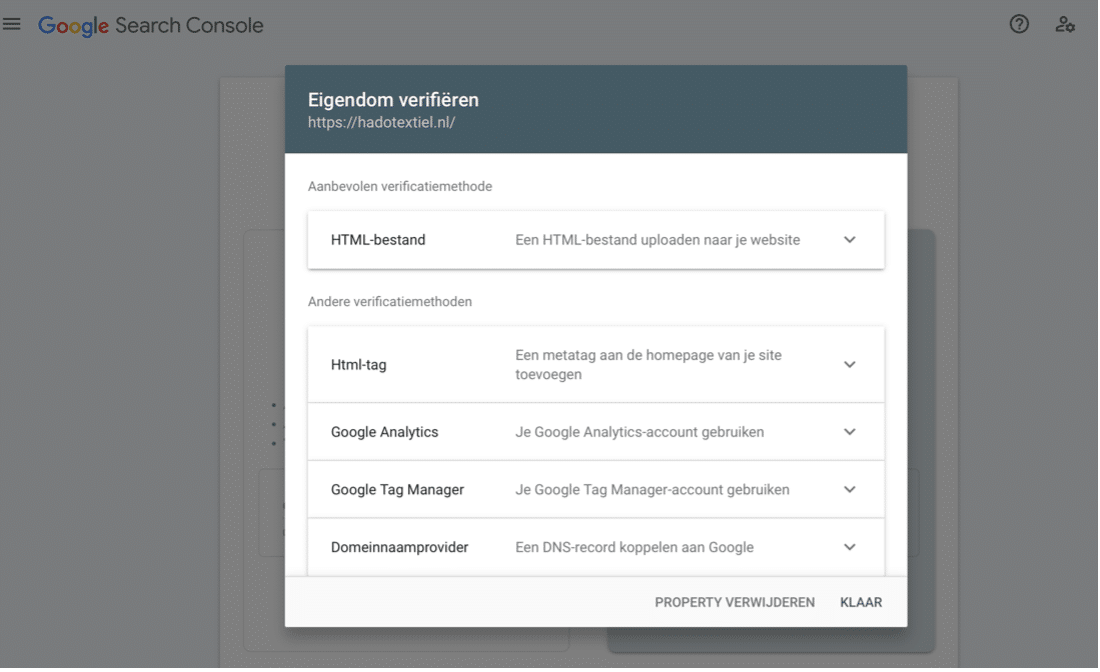
Once verification has gone through, you immediately have access to the data for your website. Now you can start improving how findable your site is. You can take this on yourself, but if you are not sure how or you do not have much time for it, we are happy to do it for you!
Do you want to use Google Search Console to become easier to find?
JKC Media can help
Rather hand it off? See how we help with SEO and findability in Google and AI.