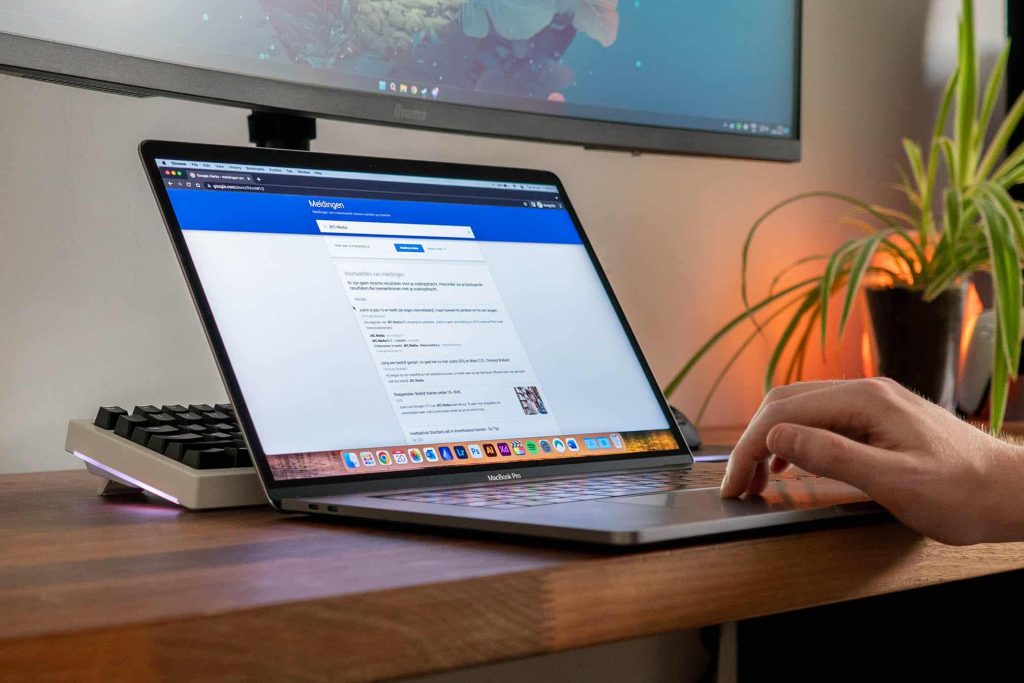
Do you use Google Alerts? These notifications keep you up to date on the latest news about the topics you choose. Read why setting up Google Alerts is so useful for your business and website in our newest blog.
What is Google Alerts?
Google Alerts makes sure you receive notifications from Google whenever something is published online about a topic you have specified. It is a free service from Google.
Why would I want to use Google notifications for my business?
1. You keep track of what is being written about your business
This way you know exactly what is being said online about you or your company. You also find out which new backlinks point to your site. Whenever your business is mentioned, there is often a link to your website included. If that is not the case, you can ask the site owner for a link to your site. That matters for your website’s backlink profile.
2. You read what is being written about the competition and what the competition writes
To stay well informed about what is happening in your industry, it helps to know what the competition is working on. For example, you can find out when a competitor publishes a guest blog on a website. Chances are that site is relevant for your company and target audience too.
3. You stay up to date on the latest developments and can write relevant SEO content
As soon as you know a brand new development has taken place in your industry, you respond to it with a strong blog post. And that is how people searching for the news end up on your website. That has a positive effect on how findable your site is. You build your expert status and work on your SEO at the same time. People follow you to stay up to date on the latest news.
The endless search for new blog topics is over as well: Google Alerts sends you the most important topics of the moment. That means you no longer have to comb the internet for relevant blog topics while plenty of other tasks are waiting for you. Since Google Alerts keeps you up to date on the latest news, you can turn that news into a blog post for your target audience. That also makes Google Alerts a good tool for creating new content, such as writing articles.
Is writing relevant blog articles not your thing? Or do you simply not have the time for it? We are happy to take it off your hands.
4. You can respond to mentions quickly
If you know your company has been mentioned somewhere, you can respond to it quickly. You are right there for both positive and negative mentions. You can thank people or offer a solution. That way you make the most of the fact that your business has been in the news.
How do I set up Google Alerts?
Now that you know the benefits of setting up Google Alerts, we will explain exactly how to do it.
- Step 1: go to Google Alerts
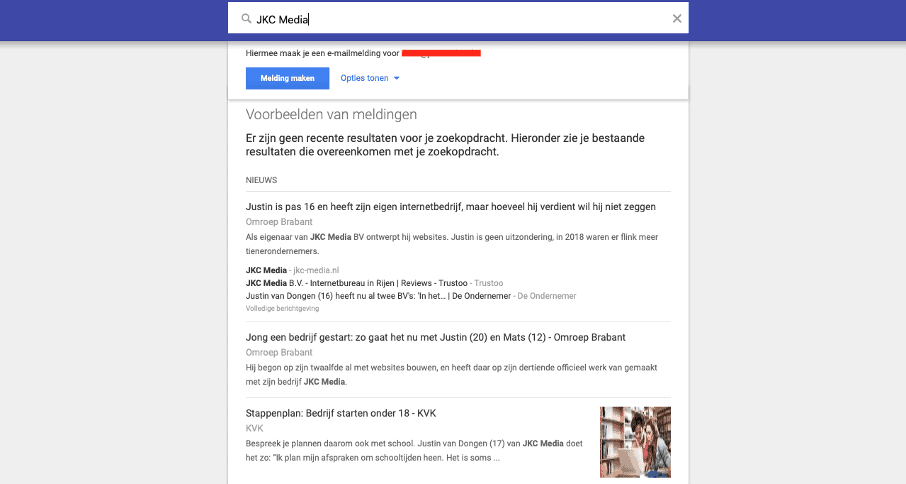
- Step 2: type in a relevant term Type in a term you want to stay informed about, such as your own company. Examples are your company name, your first and last name, the name of your product or service or those of competitors, or other relevant terms within your sector.
- Step 3: enter your email address If you are already signed in with a Gmail account, you should see your account listed. So you do need a Google account to use Google Alerts.
- Step 4: check whether you get the right results You now see examples of notifications that match the search term. Check carefully whether the search results really show what you were looking for. Your company name or product (or part of it) may also come up in another context. Think of a film or book with the same or a partly identical title.
- Step 5: set filters if needed Are there results you would rather not see? You can use certain filters when setting up Google Alerts. For instance, you use double quotation marks if you want a specific search query made up of several words.
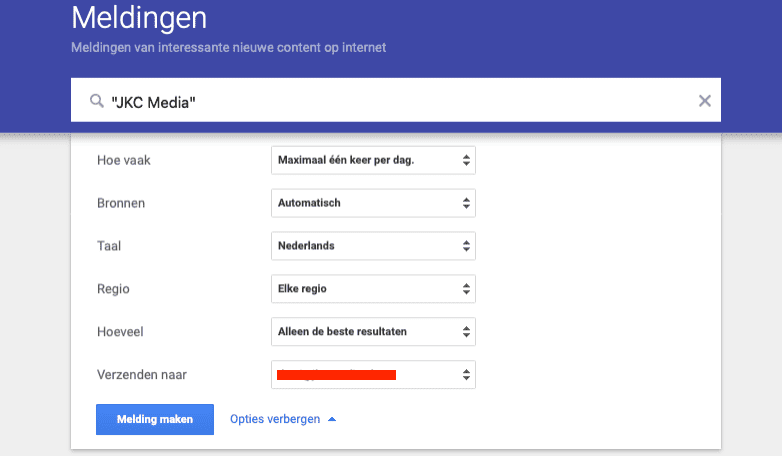
- Step 6: adjust the notification options if you like The ‘show options’ button lets you adjust certain settings. For example, how often you want to receive a notification, what kinds of sources it should cover and how many results you want to get.
Would you rather not have your mailbox packed with nothing but Google notifications? In your settings, create a new filter named Google notifications. Check the boxes ‘Skip the Inbox’ and ‘Apply the label’ and create a new label named Google Alerts.
- Step 7: adjust the final settings Once you have created the Google notifications, you can fine-tune a few last things. Delete a notification easily by clicking the trash can, or look at other settings using the gear icon. There you can adjust the delivery time and choose whether or not you want to receive a digest.
JKC Media writes SEO content for your website
Has setting up Google Alerts given you plenty of ideas for interesting blogs and web copy? But do you find writing good SEO content for your website difficult? JKC Media will get to work for you. Get in touch right away for a no-obligation conversation.
Rather hand it off? See how we help with SEO and findability in Google and AI.
More articles
- Adding my business to Google Maps: how it works plus other tips 19 April 2023
- Google Search Generative AI: an update inside the search engine 23 May 2023
- Google Search Console: how to sign up and more 30 August 2023